
We Compared 24 WiFi Extenders Over the Past 3 Weeks to Find the Most Reliable Option of 2026.
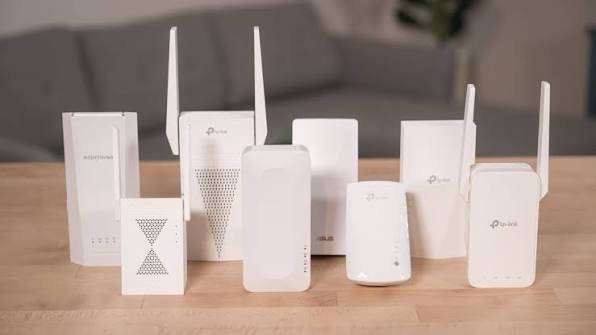
A reliable WiFi extender is essential for improving wireless coverage, reducing frustrating dead zones, and keeping devices connected throughout your home. Many WiFi extenders promise stronger signals, faster connections, and effortless installation, but finding a model that actually delivers dependable coverage, stable connectivity, and easy setup — without frequent disconnections, complicated configurations, or disappointing performance — can be a challenge.
We compared 24 WiFi extenders, including models from TP-Link, NETGEAR, D-Link, Tenda, and Xiaomi. The top 5 were evaluated based on the following criteria:
WiFi Coverage & Signal Strength
A good WiFi extender should expand wireless coverage into areas where the router’s signal struggles to reach. We compared antenna configurations, coverage capabilities, and signal stability to identify models suited for bedrooms, home offices, and other weak-signal areas.
Connection Speed & Stability
A reliable WiFi extender should maintain a consistent connection for browsing, streaming, and everyday internet use. We examined advertised wireless speeds, connection stability, and performance limitations to understand which models offer dependable connectivity.
Ease of Installation
Setting up a WiFi extender shouldn’t require technical expertise. We evaluated setup methods, WPS functionality, configuration steps, and user-friendly features to find models that make extending an existing network simple and convenient.
Router Compatibility & Operating Modes
A versatile WiFi extender should work with common routers and offer flexible installation options. We compared router compatibility, supported wireless frequencies, and operating modes such as Repeater Mode and Access Point Mode.
Design & Everyday Convenience
A well-designed WiFi extender should fit conveniently into your home without taking up unnecessary space. We considered compactness, antenna design, LED connection indicators, and ease of placement for everyday use.
After comparing the features and specifications of 24 WiFi extenders, we present five promising options for improving wireless coverage in 2026.

With 22 years of experience in consumer technology and wireless networking, Robert knows what makes a reliable WiFi extender. In this review, he compared several models to identify the best options for stronger WiFi coverage and stable connectivity.

OVERALL ANALYSIS
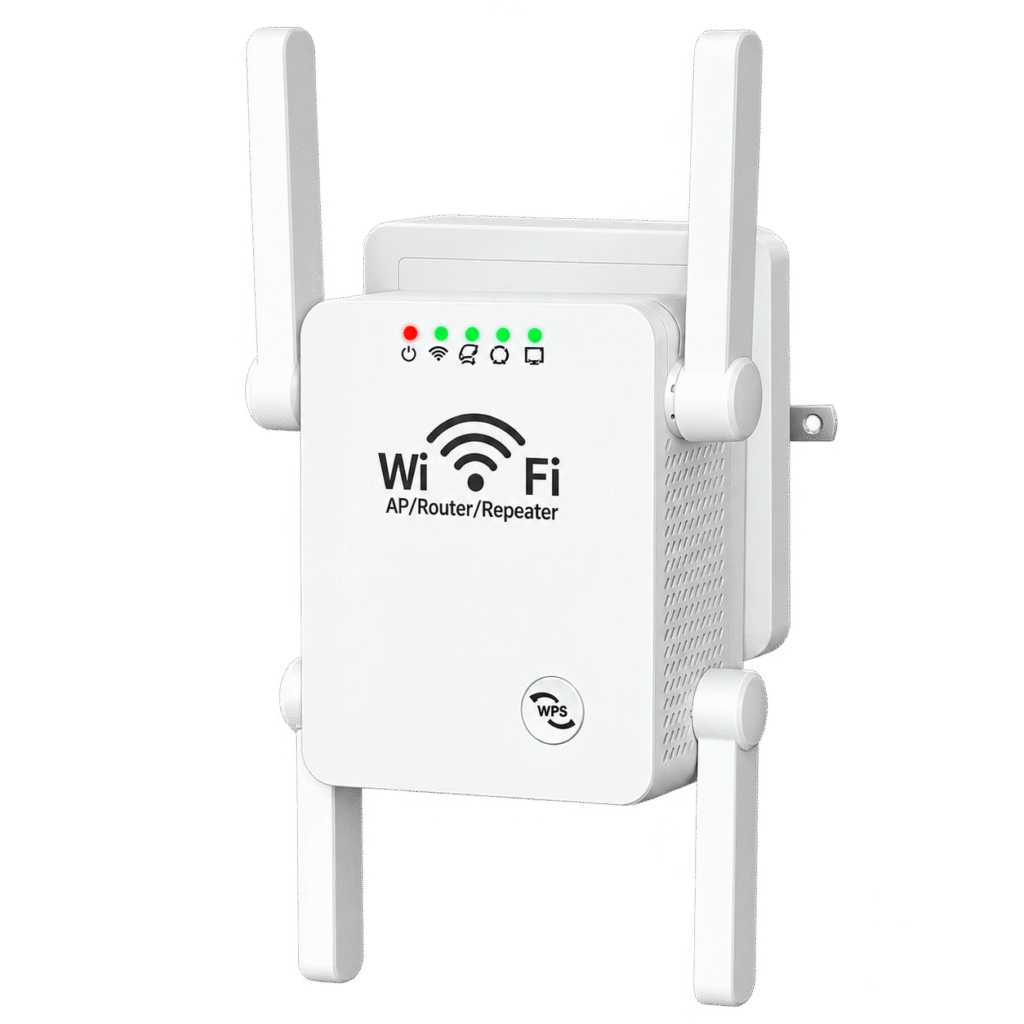
Reachly 300Mbps WiFi Repeater is one of our favorite choices for conveniently extending WiFi coverage throughout your home.
The first thing that makes it stand out is its four external antennas, designed to help extend wireless coverage beyond the reach of your existing router. This makes Reachly a practical solution for bedrooms, home offices, upstairs rooms, and other areas where weak WiFi signals can make everyday internet use frustrating.
One of its biggest advantages is its up to 300Mbps wireless speed on the 2.4GHz frequency band. This provides a connection option for everyday activities such as browsing, checking emails, using smart home devices, and streaming content. While actual speeds depend on your router, internet connection, and placement, Reachly is designed to make existing WiFi coverage more accessible.
What really makes Reachly convenient, though, is its WiFi signal extension capability. Instead of replacing your existing router or running additional cables throughout your home, Reachly receives your router’s wireless signal and retransmits it to help cover areas where connectivity is weak.
Another standout feature is its one-button WPS setup.
Rather than navigating complicated networking settings, you can use the WPS button to pair Reachly with a compatible router. This simplifies the connection process and makes the device approachable even for people with limited technical experience.
Reachly also supports Repeater Mode and Access Point Mode, giving you more flexibility when setting up your network. Repeater Mode extends an existing wireless connection, while Access Point Mode allows the device to provide WiFi connectivity from a compatible wired network connection.
Another advantage is its compatibility with standard 2.4GHz WiFi routers. This allows Reachly to work alongside many existing home network setups without requiring an entirely new router system.
The LED connection status indicators are another practical addition. They provide visual feedback about the device’s operating status, making it easier to check connectivity and identify potential setup issues.
Reachly also features a compact, plug-in design that helps keep installation simple and clutter-free. Its adjustable external antennas provide positioning flexibility, while the straightforward design makes it suitable for everyday home and office environments.
For anyone dealing with frustrating WiFi dead zones, Reachly offers a convenient alternative to more complicated network upgrades. Proper placement between your router and the weak-signal area can help you get more useful coverage from your existing connection.
Overall, Reachly combines up to 300Mbps wireless capability, four external antennas, convenient WPS installation, dual operating modes, broad 2.4GHz router compatibility, and a compact design into one practical WiFi extender. For households looking to improve wireless coverage without replacing their current router, it’s one of our preferred options.
Pros
- Up to 300Mbps Wireless Speed
- Four External High-Gain Antennas
- Extended WiFi Signal Coverage
- Helps Reduce WiFi Dead Zones
- Stable 2.4GHz Wireless Connectivity
- Convenient One-Button WPS Setup
- Dual Repeater & Access Point Modes
- Compatible With Most 2.4GHz Routers
- Quick & Easy Installation
- LED Connection Status Indicators
- Compact, Space-Saving Plug-In Design
- Adjustable Antennas for Flexible Positioning
Cons
- Often out of stock due to high demand
- Only available through the official website
CONCLUSION
Reachly 300Mbps WiFi Repeater offers excellent value for a WiFi extender packed with practical features, including up to 300Mbps wireless speed, four external antennas, extended WiFi coverage, and convenient one-button WPS setup. Check the current offer for any available limited-time discounts.
With its combination of wider wireless coverage, reliable 2.4GHz connectivity, dual operating modes, broad router compatibility, and effortless installation, Reachly is our top pick for the best WiFi extender of 2026.
2. TP-Link TL-WA855RE 300Mbps WiFi Range Extender
OVERALL ANALYSIS
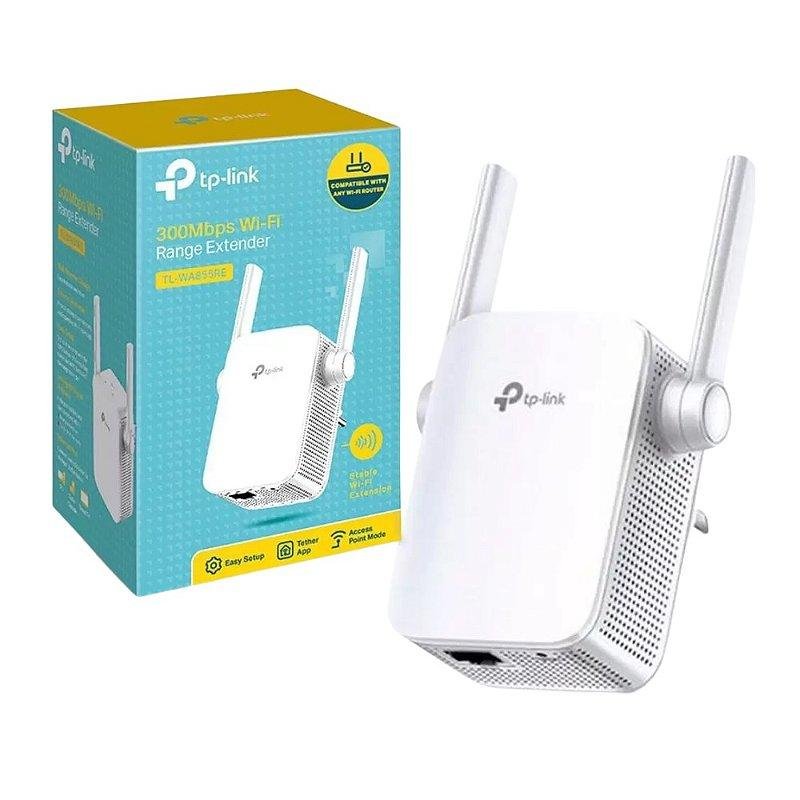
The TP-Link TL-WA855RE is a compact WiFi range extender designed to improve wireless coverage in areas where your existing router struggles to maintain a consistent signal. Supporting wireless speeds of up to 300Mbps on the 2.4GHz frequency band, it uses two external antennas with MIMO technology to help extend connectivity into bedrooms, home offices, and other weak-signal areas.
One of its biggest advantages is its flexible operating modes. Repeater Mode allows the TL-WA855RE to extend an existing wireless network, while Access Point Mode converts a wired Ethernet connection into a WiFi access point. The built-in 10/100Mbps Ethernet port also provides an option for connecting compatible wired devices. Setup is relatively straightforward using the WPS button, while an intelligent LED indicator helps identify a suitable location for better signal reception.
The main compromises are its two-antenna design, lack of 5GHz connectivity, and older WiFi 4 technology. Its theoretical 300Mbps wireless rate doesn’t represent guaranteed real-world throughput, especially when repeating signals through walls or across longer distances. Overall, the TL-WA855RE is a practical option for basic wireless coverage extension, although its single-band design may feel restrictive for households with faster internet connections or numerous connected devices.
Pros
- Up to 300Mbps Wireless Speed
- Dual External Antennas With MIMO Technology
- Convenient One-Button WPS Setup
- Repeater and Access Point Modes
- Ethernet Port for Wired Connectivity
Cons
- Only Two External Antennas
- No 5GHz WiFi Support
3. Tenda A9 Wireless N300 Range Extender
OVERALL ANALYSIS
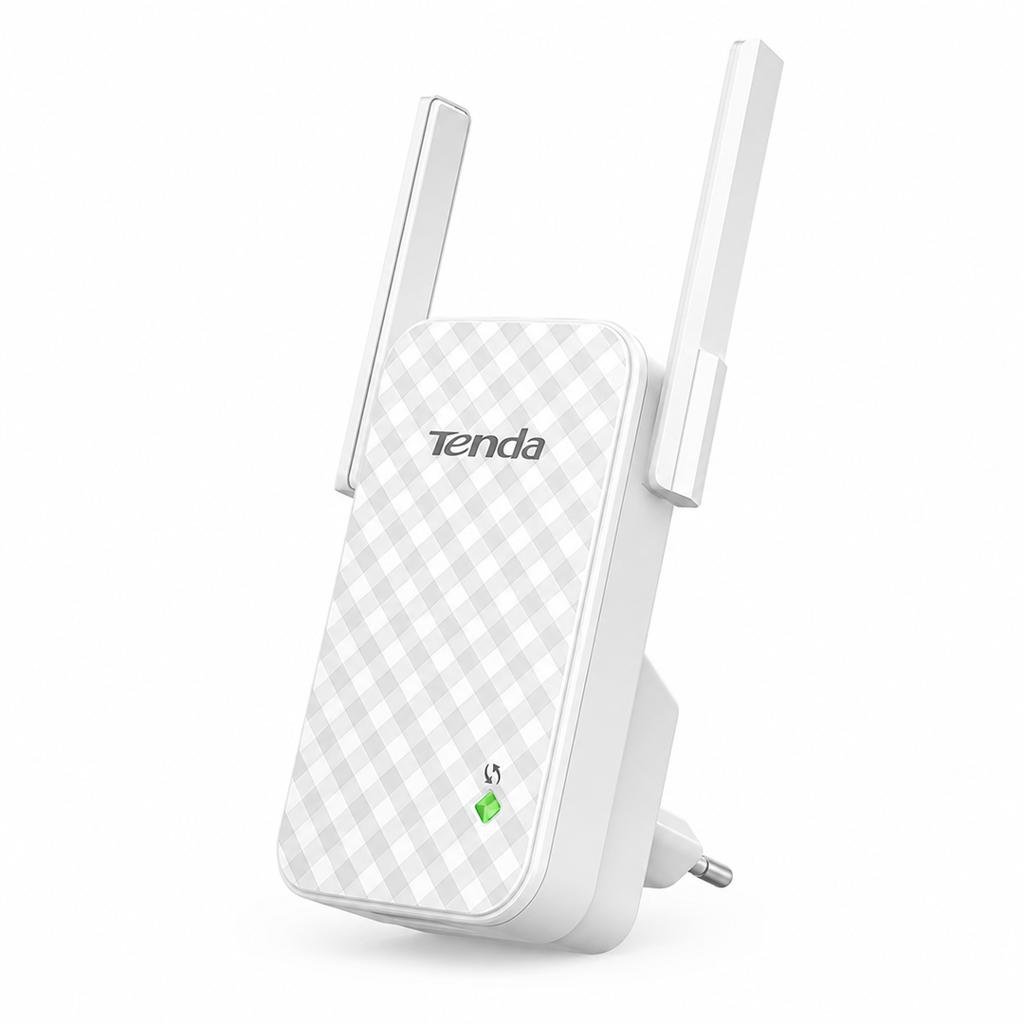
The Tenda A9 Wireless N300 is a straightforward WiFi range extender built for households that want to improve wireless coverage without dealing with complicated networking equipment. It supports speeds of up to 300Mbps on the 2.4GHz frequency band and uses two external 3dBi omnidirectional antennas to help extend the reach of an existing wireless network.
A major advantage of the A9 is its simplicity. The device features a WPS button for connecting to compatible routers, along with a built-in LED indicator that displays connection status. Its compact plug-in construction eliminates the need for an additional power cable, making it easy to position in hallways, bedrooms, or other areas where wireless coverage needs improvement. It also supports common WiFi 4 wireless standards, allowing compatibility with many existing home routers and wireless devices.
However, the A9 has several limitations. It operates exclusively on 2.4GHz, supports only Repeater Mode, and lacks an Ethernet port, meaning it cannot provide the same wired connectivity or Access Point flexibility offered by some competing extenders. Its two-antenna configuration is also less extensive than the four-antenna design found on Reachly, although antenna count alone does not determine coverage. The Tenda A9 remains a convenient solution for basic WiFi extension, but its limited operating modes make it less versatile for more demanding network setups.
Pros
- Up to 300Mbps Wireless Connectivity
- Two External 3dBi Omnidirectional Antennas
- Simple One-Button WPS Installation
- Compact Wall-Plug Design
- Built-In Signal Status LED
Cons
- No 5GHz Wireless Support
- Only Two External Antennas
- No Ethernet Port
4. Mercusys MW300RE 300Mbps WiFi Range Extender
OVERALL ANALYSIS
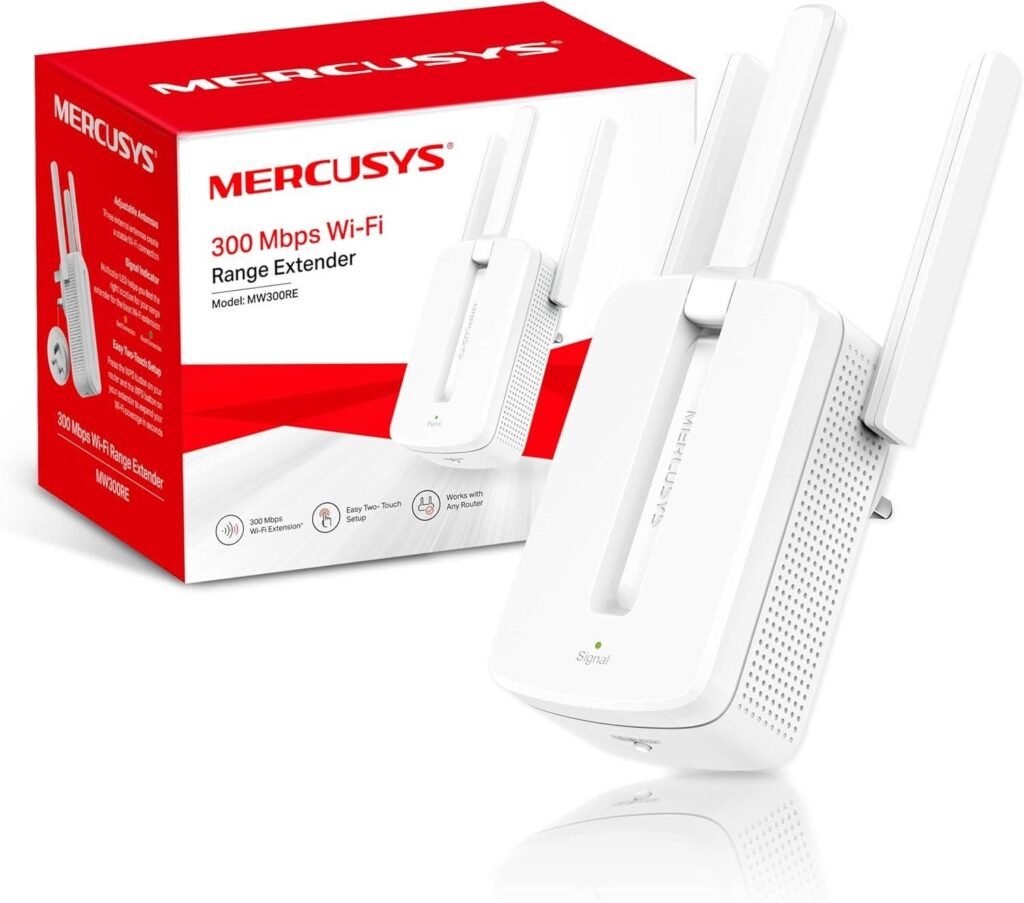
The Mercusys MW300RE is a compact WiFi range extender designed to increase wireless coverage in areas where the main router’s signal becomes weak or unreliable. Offering wireless speeds of up to 300Mbps on the 2.4GHz frequency band, the V4 model features three external antennas supported by MIMO technology to help improve wireless signal reception and distribution throughout the home.
One of its most convenient features is the straightforward installation process. The MW300RE supports WPS pairing, allowing users to connect it to a compatible router without manually entering extensive network settings. Its multicolor LED signal indicator provides useful feedback when choosing a suitable placement location, helping users position the extender where it can receive a stronger signal from the main router. Its wall-plug design also makes it easy to move between rooms without additional cables.
The drawbacks are its single-band 2.4GHz connectivity, lack of an Ethernet port, and absence of a dedicated Access Point Mode. Unlike dual-band extenders, it cannot use the less congested 5GHz frequency band, which may limit its suitability for demanding streaming or high-speed connections. Additionally, although its three-antenna design is useful, real-world coverage still depends heavily on obstacles, router distance, and network interference. Overall, the MW300RE is a capable wireless coverage extender for everyday use, but its limited connectivity options reduce its flexibility compared with models offering multiple operating modes.
Pros
- Up to 300Mbps Wireless Speed
- Three External Antennas
- MIMO Wireless Technology
- Convenient WPS Setup
Cons
- No 5GHz Wireless Connectivity
- No Ethernet Port
- Limited to WiFi 4 Standards
5. D-Link DAP-1325 N300 WiFi Range Extender
OVERALL ANALYSIS
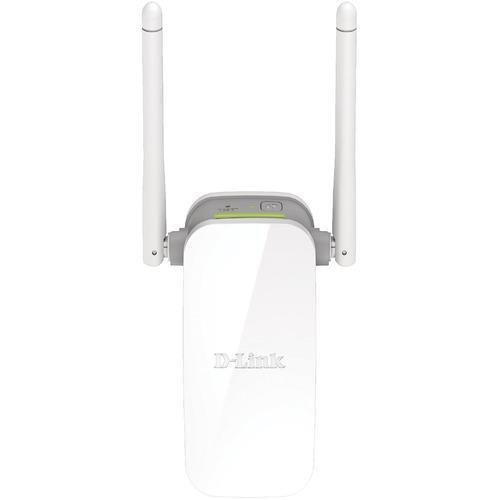
The D-Link DAP-1325 is a compact N300 WiFi range extender designed to improve wireless connectivity in areas where a standard router cannot provide sufficient coverage. Supporting wireless speeds of up to 300Mbps through WiFi 4 technology, it extends an existing network to help provide connectivity in bedrooms, offices, and other locations affected by weak wireless signals.
One of the DAP-1325’s main strengths is its versatility. The built-in 10/100Mbps Ethernet port can connect a compatible wired device or help create wireless coverage from an existing wired network. Its supported operating modes include Repeater and Access Point functionality, giving users additional networking flexibility. Setup is simplified through WPS pairing, while the three-segment LED signal strength indicator helps users determine an appropriate location for the extender. Its compact wall-plug construction also eliminates the need for a separate power adapter.
The main disadvantages are its lack of 5GHz support, older WiFi 4 standard, and 100Mbps Ethernet limitation. Although it offers useful wired and wireless connectivity options, it cannot provide the higher wireless capacity associated with modern dual-band WiFi 5 or WiFi 6 extenders. Like other single-band repeaters, performance can also decline when the device is positioned too far from the main router. Overall, the DAP-1325 is a versatile option for basic home network expansion, particularly for users who appreciate Ethernet connectivity and flexible operating modes, but its older wireless technology limits its appeal for more demanding applications.
Pros
- Up to 300Mbps Wireless Connectivity
- Built-In 10/100Mbps Ethernet Port
- One-Touch WPS Setup
Cons
- No 5GHz Frequency Support
- Limited to Older WiFi 4 Technology
- Ethernet Speeds Capped at 100Mbps
WHAT IS A WiFi Extender?
A WiFi extender is a networking device designed to expand the coverage of an existing wireless network by receiving and retransmitting your router’s WiFi signal. It helps provide connectivity in areas where the original signal is weak, such as bedrooms, upstairs rooms, home offices, and other hard-to-reach spaces.
Benefits of a WiFi Extender
- Helps Eliminate WiFi Dead Zones
- Extends Wireless Coverage Throughout Your Home
- Improves Connectivity in Weak-Signal Areas
- Supports Streaming, Browsing & Everyday Internet Use
- Helps Connect Devices in Distant Rooms
- Works With Compatible Existing WiFi Routers
- No Need to Replace Your Existing Router
- Quick & Easy to Install
Things to Look for When Choosing the Best WiFi Extender
Four External Antennas
A WiFi extender with four external antennas offers additional flexibility for wireless signal reception and transmission. Look for a design that helps extend WiFi coverage into bedrooms, home offices, and other areas where your router’s signal may struggle to reach. Antenna quality and placement are just as important as antenna count.
Up to 300Mbps Wireless Speed
A WiFi extender supporting up to 300Mbps on the 2.4GHz frequency band can be suitable for everyday activities such as browsing, streaming, and connecting smart home devices. Remember that actual internet speeds depend on your router, network conditions, and distance from the extender.
One-Button WPS Setup
Setting up a WiFi extender shouldn’t require complicated technical knowledge. Look for a model with a convenient WPS button that allows quick pairing with compatible routers, making installation easier without manually configuring multiple network settings.
Repeater & Access Point Modes
A versatile WiFi extender should offer multiple operating modes. Repeater Mode helps expand an existing wireless network, while Access Point Mode allows you to create WiFi coverage from a compatible wired connection. This gives you greater flexibility for different home and office setups.
Warranty
Always check whether the manufacturer or seller provides a clear warranty, reliable customer support, and a reasonable return policy. These protections can give you additional confidence when choosing a WiFi extender for everyday use.
What to Avoid When Choosing a WiFi Extender
Weak Signal Reception
A WiFi extender that struggles to receive a stable signal from your router may cause frequent disconnections and inconsistent performance. Avoid models with poor signal reception or limited placement flexibility, especially if you need coverage across multiple rooms or floors.
Difficult Installation
Some WiFi extenders require complicated configurations, multiple setup steps, or advanced networking knowledge. Look for user-friendly alternatives with one-button WPS pairing or straightforward browser-based installation to avoid unnecessary frustration.
Outdated Technology & Poor Compatibility
Avoid WiFi extenders that lack compatibility with your existing router or don’t support the wireless features you need. Some older models offer limited operating modes, unstable connections, and restricted frequency support. Always check compatibility, supported speeds, and available connection options before choosing an extender.
With 22 years of experience in consumer technology and wireless networking, Robert knows what makes a reliable WiFi extender. In this review, he compared several models to identify the best options for stronger WiFi coverage and stable connectivity.
Copyright © 2026 All Rights Reserved.
The listings featured on this site are from companies from which this site receives compensation. This influences where, how and in what order such listings appear on this site.
Designed to help users make confident decisions online, this website contains information about a wide range of products and services. Certain details, including but not limited to prices and special offers, are provided to us directly from our partners and are dynamic and subject to change at any time without prior notice. Though based on meticulous research, the information we share does not constitute legal or professional advice or forecast, and should not be treated as such.
Reproduction in whole or in part is strictly prohibited.
As an Amazon Associate we earn from qualifying purchases.